An online shop that sells while you sleep.
Catalogue, filters, basket, payment and measurement in one system. Before we talk price, this page tells you what makes a shop cost more, what is billed separately, and when you do not need a shop at all.
Who it is for
A shop is not for everyone who sells.
Worth it if
- You have products with a clear price and you know what delivery costs you.
- People already buy from you over messages, and that back and forth can become ordering.
- You sell outside your own town, or you would like to start.
Not worth it if
- You sell a service that gets negotiated, not a product that gets picked. An enquiry page works better there.
- There is nobody to pack and ship. A shop does not solve logistics, it only speeds it up.
- Your price changes from buyer to buyer. That is a B2B case and it needs a different setup.
The problem
Three things that kill online sales.
The buyer cannot find it
A catalogue with no filters and no search means scrolling until boredom wins. Most people leave before the basket, not inside it.
Checkout asks too much
Forced registration, ten fields and a delivery cost nobody sees until the end. Every extra step costs you orders, and you will not notice until it is measured.
You cannot see what sells
Without measurement you do not know which product carries the turnover, where the buyer came from, or where they gave up. Stock then gets ordered on instinct.
What you get
Six things a shop has to have.
This is the base of every level. The levels differ in scale and integrations, not in whether this exists.
Catalogue and filters
Categories, filters on what buyers actually choose by, and a search that survives a typo.
Product page
Variants, stock, a price with no surprises and a gallery. The product page is the most common entry from Google, not the home page.
Basket and checkout
Ordering without forced registration, with the delivery cost visible before the final step.
Payment
Cash on delivery, bank transfer and card, as many as you need. The detail is further down, in the payment section.
A panel for you
Orders, statuses, stock and product edits without me. A shop you have to ask somebody else to update is not your shop.
Sales measurement
Which product sells, where the buyer came from, and which step loses them. Without it you cannot tell where to spend.
Platform
Three routes, no ideology.
I do not have a favourite platform. I have three I build on and I know when each pays off. The choice follows your catalogue and how you work, not what is faster for me.
WooCommerce
A WordPress base, the most ready made options for local delivery and payment, and you own all of it. Maintenance costs more than Shopify because plugins need updating.
Choose it when
A catalogue up to a few hundred products, local integrations required, and a wish that nothing depends on a monthly subscription to a foreign company.
Shopify
Everything works immediately and nothing needs maintaining, but you pay monthly plus a fee per order, and customisation only goes as far as the platform allows.
Choose it when
You want to start quickly, the catalogue is simple, and a monthly cost suits you better than a one off investment.
Custom
Written for your case, with no layer you never use. The most expensive to build and the cheapest to run once the catalogue is large or the billing logic is unusual.
Choose it when
You have an ERP or a warehouse that must be the source of truth, B2B prices per customer, or selling that fits no off the shelf system.
If you already have a shop on one of these, I will not move it without a reason. A move happens when the platform genuinely gets in the way of the business, not because I would have picked differently.
Payment
How the buyer actually pays.
These are the payment methods I have actually set up. I do not list what I have not done, because that only shows when something goes wrong, and it always goes wrong on launch day.
Cash on delivery
Paying the courier on handover. Still the largest share of orders here, and a shop without it loses buyers who will not pay up front.
Bank transfer
A proforma invoice and a transfer. It needs a manual check that the money arrived, but it is unavoidable once companies and public bodies buy from you.
Monri or WSPay
Card payment through local providers, connected to a bank account here. The usual route for a shop charging in convertible marks.
Stripe
Card payment for selling abroad and for subscriptions. Set up when buyers pay in euros or dollars.
Every card provider has its own fee per transaction and its own approval process, and that runs directly between you and them. I set up the integration. I do not charge their fees and I cannot speed up their approval.
In practice
Three systems that run every day.
Not demo pages. All three companies use them in their work, and all three have been changed and extended since launch.
- mglass-design.com
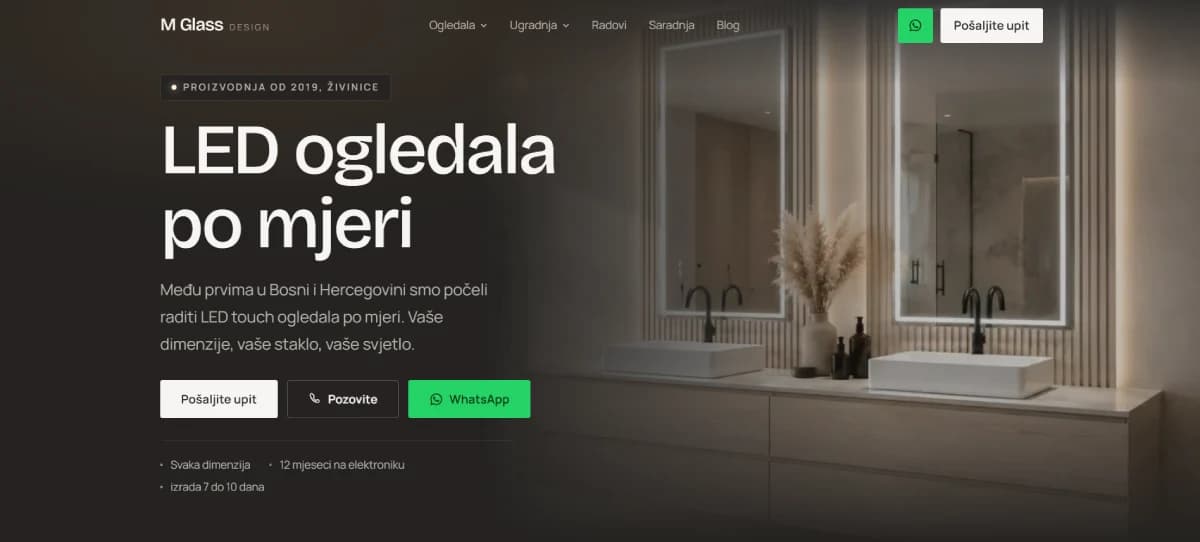
M Glass Design
A catalogue of LED mirrors with an options configurator. The buyer picks size and lighting before sending an enquiry, so the enquiry arrives already qualified.
- tus-art.com

Tuš Art
Sales and revenue measurement in one place. The panel shows what was sold and how much was earned, with no adding up by hand.
- staklodom.com
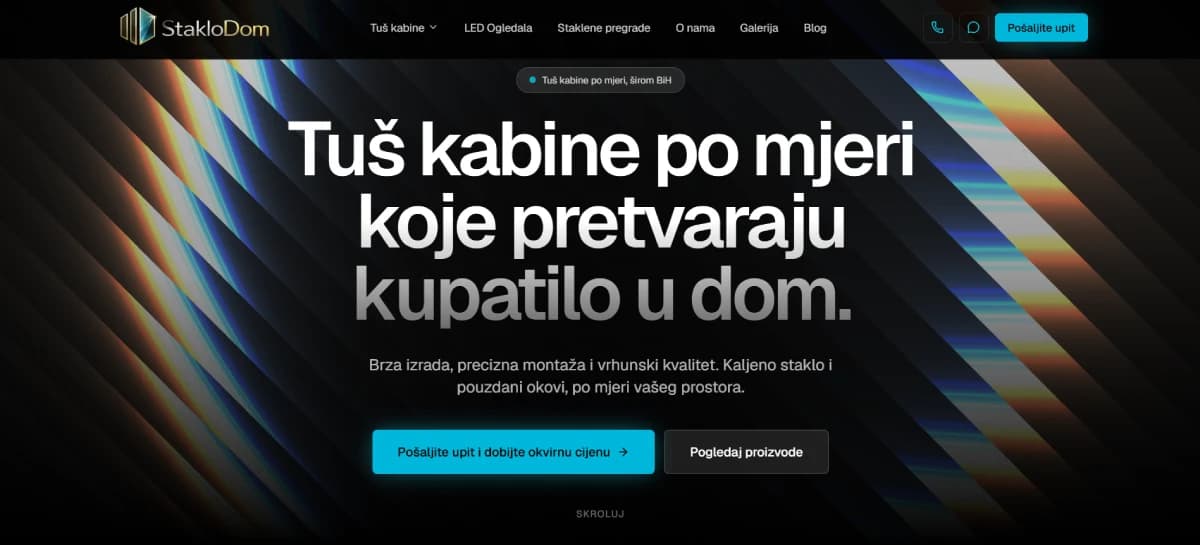
StakloDom
A catalogue of services and products with an enquiry per item. The structure is set so every item can earn its own page in search.
How it goes
Five steps to the first order.
The timeline depends on product count and integrations, so it goes in the quote after the first conversation, not before it. What does not change is the order of the steps.
- 01Conversation and scope
We go through the catalogue, delivery and payment, and the level and platform follow from that. This conversation produces a quote with a fixed figure.
From youA product list, even a rough one, and how you take orders today.
- 02Catalogue structure
I set up categories, attributes and filters. This is the step that decides whether the buyer finds the product, and the most expensive one to change later.
From youConfirmation of the categories and what your buyers actually choose by.
- 03Build and payment
I build the shop and connect payment and delivery. Card payment stays in test mode until the provider approves your account.
From youThe details for opening an account with the card provider, if cards are in scope.
- 04Entry and two rounds of revisions
I enter the first products as a pattern and show you how the rest are entered. Two rounds of smaller changes are included.
From youProduct photos and descriptions, and your notes collected in one place.
- 05Launch and handover
We go live, check one real order end to end, and I hand over the access and a short walkthrough of the panel.
From youOne test order you place yourself, so you see what the buyer sees.
Three levels
Pick by catalogue, not by budget.
The level follows how many products you have and what the shop has to know, not how much you are willing to spend. The range inside a level is real: the lower end is the simple case, the upper end is the one with integrations.
Starter
RangeBAM 3,000 to 4,000Who forA first shop, a tidy catalogue and simple delivery.
- Up to about a hundred products
- Cash on delivery and transfer
- One delivery country
- Basic sales measurement
Growth
RangeBAM 5,000 to 8,000Who forA shop that already sells and is now slowed by manual work.
- Variants and a larger catalogue
- Card payment
- Courier integration
- Measurement by product and source
Custom
Rangefrom BAM 8,000Who forSelling that fits no off the shelf system.
- A link to an ERP or warehouse
- B2B prices per customer
- Your own billing logic
- More languages or markets
Prices do not include VAT
Billed separately
This is not in the build price.
None of these four are hidden and none of them are my margin. They are here because they usually surface at the end, once the budget is already spent.
Payment fees
The card provider charges a fee per transaction, sometimes a monthly one too. The contract is between you and them and it is paid to them, not to me.
Licences and subscriptions
Plugins for delivery, fiscal receipts or advanced filters are often paid yearly. Which ones you need is clear after the conversation, and then you get the list with the amounts.
Catalogue entry
Setting up the structure and entering the first few products as a pattern is included. Entering the whole catalogue is not, because that can be a bigger job than building the shop.
Photos and descriptions
Product photography and description copy are not included. A bad photo costs more sales than any technical detail, so I would rather recommend it than skip it.
Price
What makes a shop cost more.
The price of a shop is not counted in pages but in how much of it has to run on its own. This is the list we move up or down along in the conversation.
Brings it down
- A catalogue already tidy in a spreadsheet, with prices and codes
- Products without variants
- Only cash on delivery and transfer at first, cards later
- One language and one delivery country
Pushes it up
- A large number of products, because entry and upkeep grow with it
- Variants by size, colour or material, each with its own stock
- Integrations with systems you already use
- Card payment, because it needs provider approval and testing
- A link to an ERP or warehouse as the source of truth
- Delivery with several rules, zones or couriers
- B2B pricing, meaning a different price for a different buyer
Not included
What a shop does not solve.
I write this up front, because disappointment after launch costs more than a conversation before it.
- Photographing products and writing descriptions for the whole catalogue
- Packing, shipping and talking to buyers after the order
- Advertising budget and running campaigns
- Card provider fees and yearly plugin licences
Questions
What I get asked most.
- How long does a shop take?
- It depends on product count and integrations, so I give the timeline in the quote after the first conversation. The longest wait is usually not the build but the card provider approval and the photos.
- Can I enter products myself?
- You can and you should. That is why the panel is part of every level, and you get a short walkthrough at handover. I enter the first products as a pattern for the rest.
- What does card payment cost?
- The fee is set by the card provider and paid to them, per transaction. I set up the integration and that is in the build price, but their fees are not and they do not pass through me.
- What if I have a thousand products?
- Then catalogue entry is a separate job and it is priced as one. There is also a route through import from a spreadsheet or an existing system, and it is almost always cheaper than typing.
- Can I sell abroad?
- You can, but that calls for decisions on currency, delivery and tax before any decision on looks. That is the custom level and it gets discussed at the start, not after launch.
- What if the shop does not take off?
- Then the first question is whether anyone is searching for your products online at all. That is why I would rather run an audit first than build a shop, if I am not sure about that.
Next step
First let me see what you sell.
Tell me what you sell and how you take orders today. I will reply with which level is yours, which platform I would build it on, and what it would realistically cost.